Attend IT Blog
We Asked an AI to Write This Post About AI
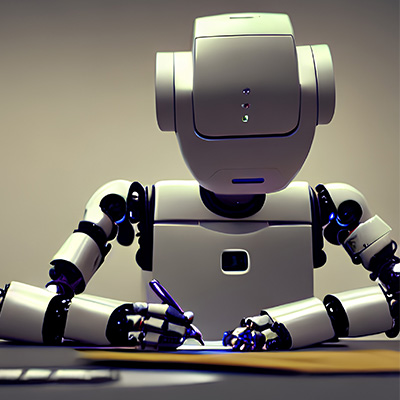
Over the last few months, we’ve seen a huge explosion in AI-generated content. From AI-generated artwork to convincing but fake videos of famous people, AI has quickly become an interesting enigma with a lot of apparent applications.
Will artificial intelligence take everybody’s job? Will robots truly take over?
We decided it would only be fair to let an actual artificial intelligence chime in and defend itself, but before we do, let’s talk about what this technology is, how it works, and where it could lead us in the future.
What is Artificial Intelligence?
Ever read Isaac Asimov? How about the 2001 film, A.I. Artificial Intelligence? If you want to be a little more contemporary, we can reference Marvel’s Age of Ultron or HBO’s Westworld. Either way, most dramatized references to artificial intelligence usually involve a being that has a computerized brain that decides it isn’t quite a machine and it isn’t quite human, but it definitely is capable of making better decisions than those that created it.
Usually this goes very badly for the humans, at least for a while.
This isn’t something strictly bound to the concept of artificial intelligence, but more to intelligence in general. Without getting too dorky on you, if we made contact with aliens tomorrow that were massively more intelligent than humans, we would struggle to understand their motives. The concept of most science fiction AI is the same—artificial intelligence in most science fiction is able to scale far beyond the scope of what a human brain can process, thus making it scary and potentially very dangerous.
This is all just science fiction and entertainment though. In movies and books and all the other entertainment mediums, we tend to give the AI a character. It isn’t just a source of information, it is a living, breathing, thinking person—it just thinks and acts on its own and then (usually) tries to conquer the world.
Fortunately, we’re not even close to producing that.
Instead, the thing that we call “Artificial Intelligence” is more of a virtual intelligence. It takes data that its developers feed into it, and is able to make billions and billions of connections between that information, and from that, it is able to see and derive patterns and make informed decisions on the fly.
Modern-day autopilot features on self-driving cars do this. After feeding millions or billions of different driving scenarios into a system, an AI can be developed that says “Hey, sometimes stop signs can be a little crooked, but I can still recognize it as a stop sign.”
In fact, almost everyone uses AI nearly every single day. If you do a Google search, you are technically using AI because the search engine crawls millions of websites and indexes information automatically without a human directly manipulating it.
At the end of the day, modern artificial intelligence is taking massive amounts of information and coming up with different, digestible ways to put it together. It finds patterns that we might not have the time or patience to see, or to produce new combinations of information in totally new and unique ways.
Will Artificial Intelligence Take My Job?
Perhaps we should let the AI answer this question, but we wanted to give our prediction first—probably not.
Like any technology, it might make your job easier. There might be businesses that downsize because they think some new AI technology will replace human workers. After all, some businesses would love to cut payroll. Just look at the Fort Worth McDonalds that is nearly totally automated. Still, an AI isn’t going to just take over for a person—you still need someone to tell it what to do and correct it when it is wrong. If anything, an employee who becomes sufficient at utilizing AI will become a more valuable employee, much in the same way that an employee who is proficient at using Excel can be valuable.
Still, there’s already concern over AI replacing the jobs of artists, designers, and copywriters, since the last 6 months or so have shown that AI can be very good at generating images and text. It’s going to be interesting to see how this pans out, but if you ask us, we hope that artists continue to make art, both traditionally and with any sort of modern tools they choose.
So, it’s time to let the AI chime in. For this, we’re using ChatGPT, an AI-based tool by OpenAI that essentially was trained by content it crawled on the Internet.
We Asked an AI how AI Could Benefit Small Businesses
Here’s what it had to say:
Artificial intelligence (AI) can be a powerful tool for businesses of all sizes, including small businesses. There are many ways in which AI can help small businesses grow and thrive, including improving customer service, enhancing marketing and sales efforts, increasing efficiency and automation, and staying competitive in the market.
For example, small businesses can use chatbots on their websites to assist customers in finding products and resolving issues, freeing up human customer service representatives to handle more complex inquiries. AI can also be used to analyze customer data and identify trends, which can help small businesses target their marketing efforts and boost sales. Additionally, AI can automate repetitive tasks, such as data entry or scheduling, freeing up time for business owners to focus on more important tasks.
By using AI to improve their operations and customer experience, small businesses can stay competitive in today's digital world and continue to grow. As AI technology continues to evolve, it's worth considering how it could benefit your small business.
~ChatGPT, by OpenAI
ChatGPT spit that answer out in about 15 seconds. As an added bonus, we asked it to tell us the corniest IT joke it could think of, and it responded:
Why was the computer cold?
Because it left its Windows open.
~ChatGPT, by OpenAI
Touche, AI, touche!
Artificial Intelligence Is Going to Be the New Trend in Modern Software
AI isn’t exactly an IT thing. It’s not like you can call up Attend IT Limited and say “Hey, I want an AI for my business to do odd jobs around the office.” It doesn’t really work that way. Instead, you will start seeing major software providers utilizing AI within their products to make them faster, smarter, and better.
Don’t look at AI as a product or even a service, it’s a feature, and as a feature, it needs very specific guidelines and a very specific purpose. The other thing to realize is that AI isn’t inherently smart. It needs to be fed information to make it appear smart. An AI customer support service, for example, probably isn’t going to be able to provide very good service if you don’t painstakingly teach it how to interact and handle common (or even uncommon) questions. A human being has decades of experience interacting with other humans and can make decisions based on all of their experience in life, whereas an AI is limited to the data that it is given. In other words, like any automation, the benefits are only there if properly utilized and constantly tweaked and optimized.
Still, look out for opportunities with your business. Like any technological advancement, AI is likely to offer a lot of benefits to just about any business over the next several years.
If you need help implementing software or modern technology solutions for your business, don’t hesitate to reach out to Attend IT Limited!
About the author

Mobile? Grab this Article!